
GeM Portal Tender Registration: Complete Guide for Sellers
GeM is a national public procurement portal that has been established to facilitate procurement of goods and services by various government departments in a transparent manner. The portal was built up and empowers the buyer and seller by making government buying easy, simple, and efficient. The platform allows government departments, ministries, PSUs, and other government bodies to procure goods and services from the sellers who have registered on the portal throughout the country.
But once you've created a GeM portal account and registered your business, you can list your goods or services among the government buyers' pool. Once registered, create your seller profile, add products and/or services, and bid for government contracts and tenders.
GeM has opened new avenues for manufacturers, traders, startups, MSMEs, service providers, and even individuals. Earlier, getting government orders was not often a paperwork-heavy process. Now, a lot of it can be done online at the GeM Portal.
What is GeM Tender Registration?
GeM Tender Registration is the way to take part in government tenders opened for bidding through the GeM Portal. Once you have successfully registered as a seller and your profile has been verified, qualified businesses can find government tenders and place bids to win contracts based on the products or services they offer.
Regularly, government buyers issue tenders for such things as office supplies and furniture, computers and electrical goods, building materials, medical equipment, consultancy services, transportation, and maintenance services, among others.
Securing a government tender can enable businesses to boost sales, increase trustworthiness, and establish a reliable foundation with government buyers.
Who Can Apply For GeM Tender Registration?
Many different types of businesses can register on the GeM portal if they meet the applicable eligibility requirements.
These may include:
- Manufacturers
- Traders
- MSMEs
- Startups
- Individual services providers
- Partnership firms
- Private Limited Companies
- LLPs
- Proprietorship Firms
- OEM (Original Equipment Manufacturers)
- Authorized Distributors
Before applying, make sure your business documents are complete, and your information matches your official records.
Benefits of GeM Tender Registration
Registering for GeM tenders offers several advantages for businesses of all sizes.
- Direct Access to Government Buyers: You can work directly with government departments without depending on middlemen.
- Transparent Procurement Process: The GeM Portal follows a transparent online process where buyers and sellers interact through a digital system.
- Business Growth Opportunities: Government organizations regularly purchase products and services. This creates long-term business opportunities for registered sellers.
- National Market Access: Your business can receive opportunities from government buyers across different states in India.
- Online Documentation: Most registration, bidding, and order management activities can be completed online.
- Better Business Credibility: Being registered on GeM can improve your business reputation when dealing with government organizations.
Documents Required
Before starting your registration, keep these documents ready:
- Aadhaar Card
- PAN Card
- Business details
- Mobile Number
- Email Address
- Bank Account Details
- Business Address Proof
- Other documents requested during verification
Providing correct information helps avoid delays during registration.
Step-by-Step GeM Tender Registration Process
Go to the official Government e-Marketplace website and click "Sign Up" or "Seller" to begin your registration.
Official Website: https://gem.gov.in
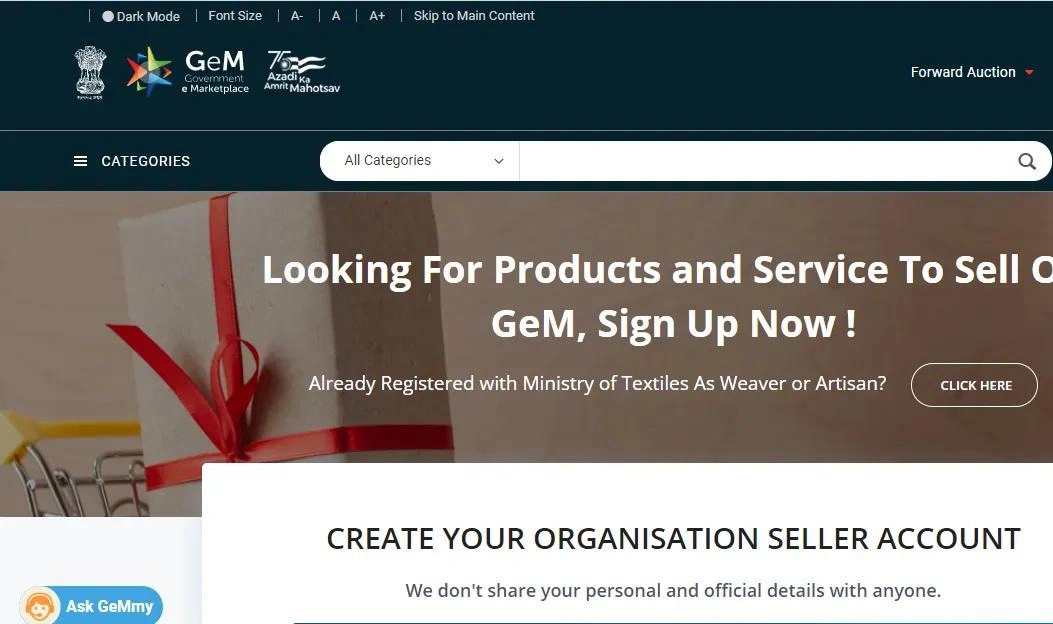
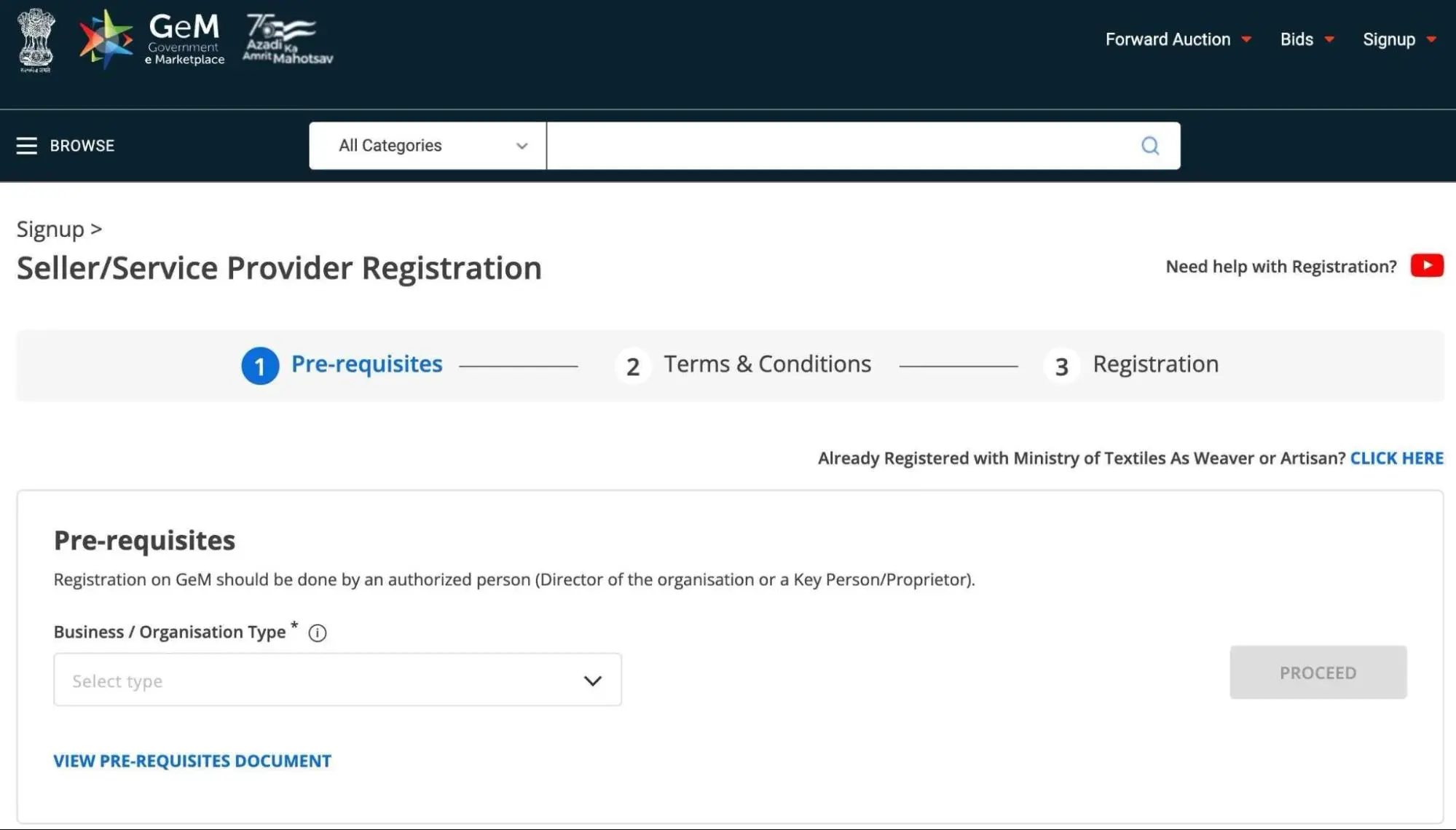
Select Seller as your account type and enter your:
- Aadhaar/PAN (as applicable)
- Mobile Number
- Email Address
Verify your mobile number using the OTP sent by GeM.
Fill in your business details such as:
- Business Name
- Business Type
- PAN
- GSTIN (if applicable)
- Udyam Registration (if available)
- Registered Business Address
- Bank Account Details
Make sure all details match your official documents.
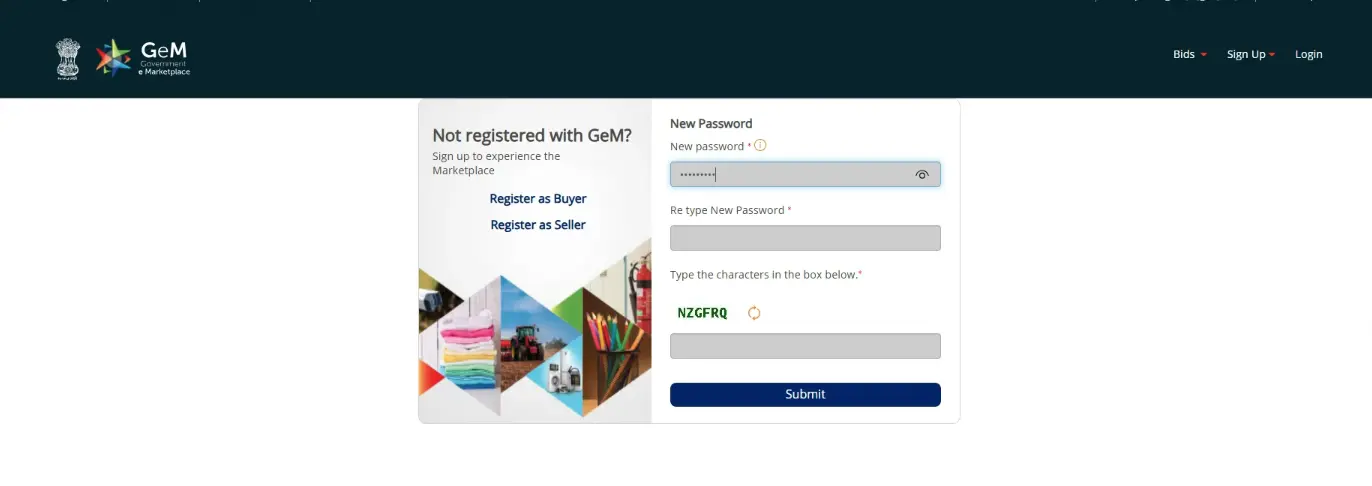
Create a secure:
- Username
- Password
These credentials will be used to log in to your GeM Seller account.
Depending on the product category and current GeM policy, certain sellers may be required to pay Caution Money or complete additional verification before participating in specific procurement activities.
If required for your category:
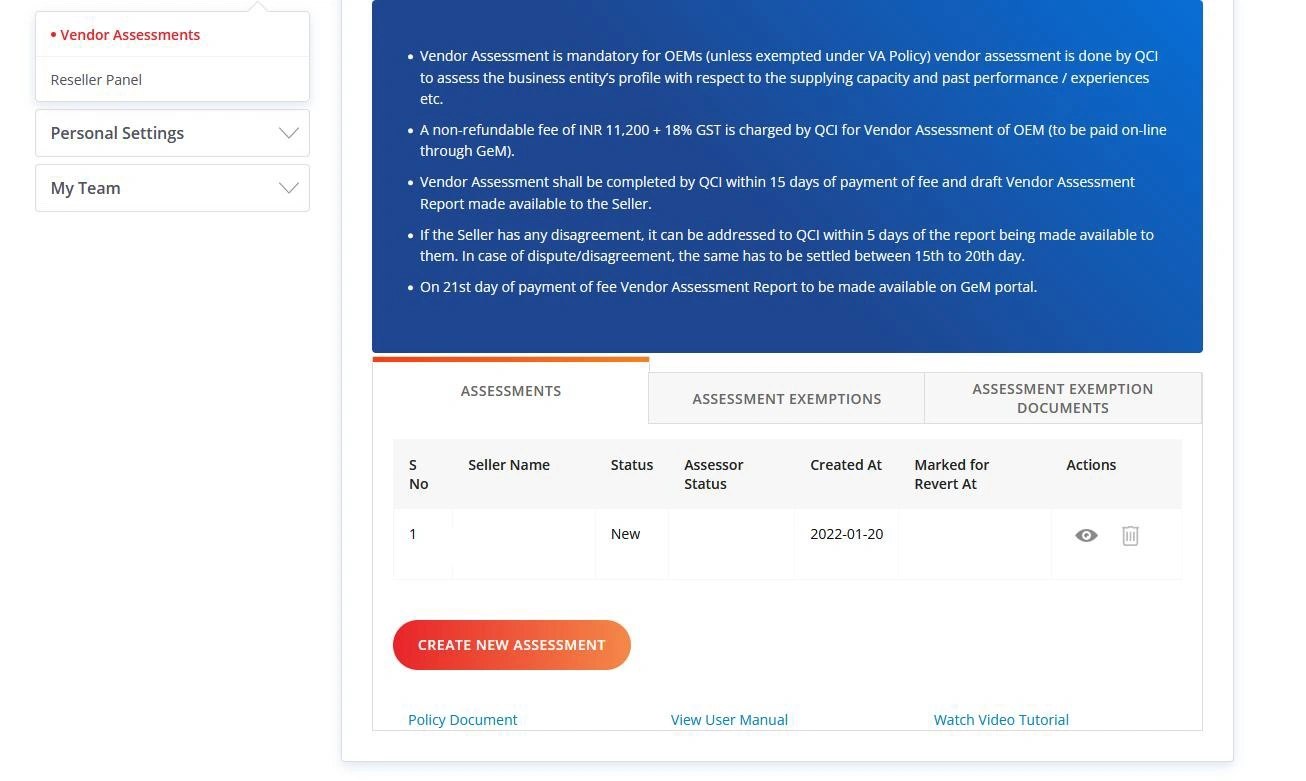
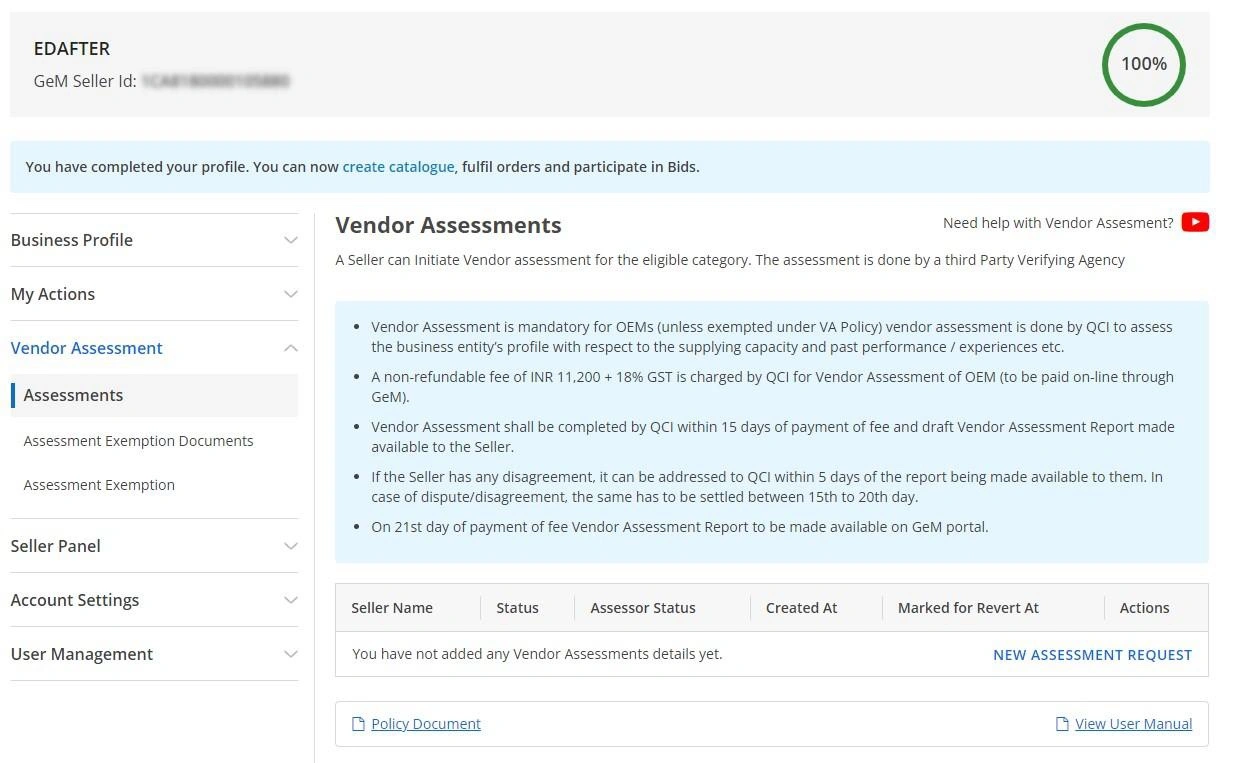
- Complete the Vendor Assessment.
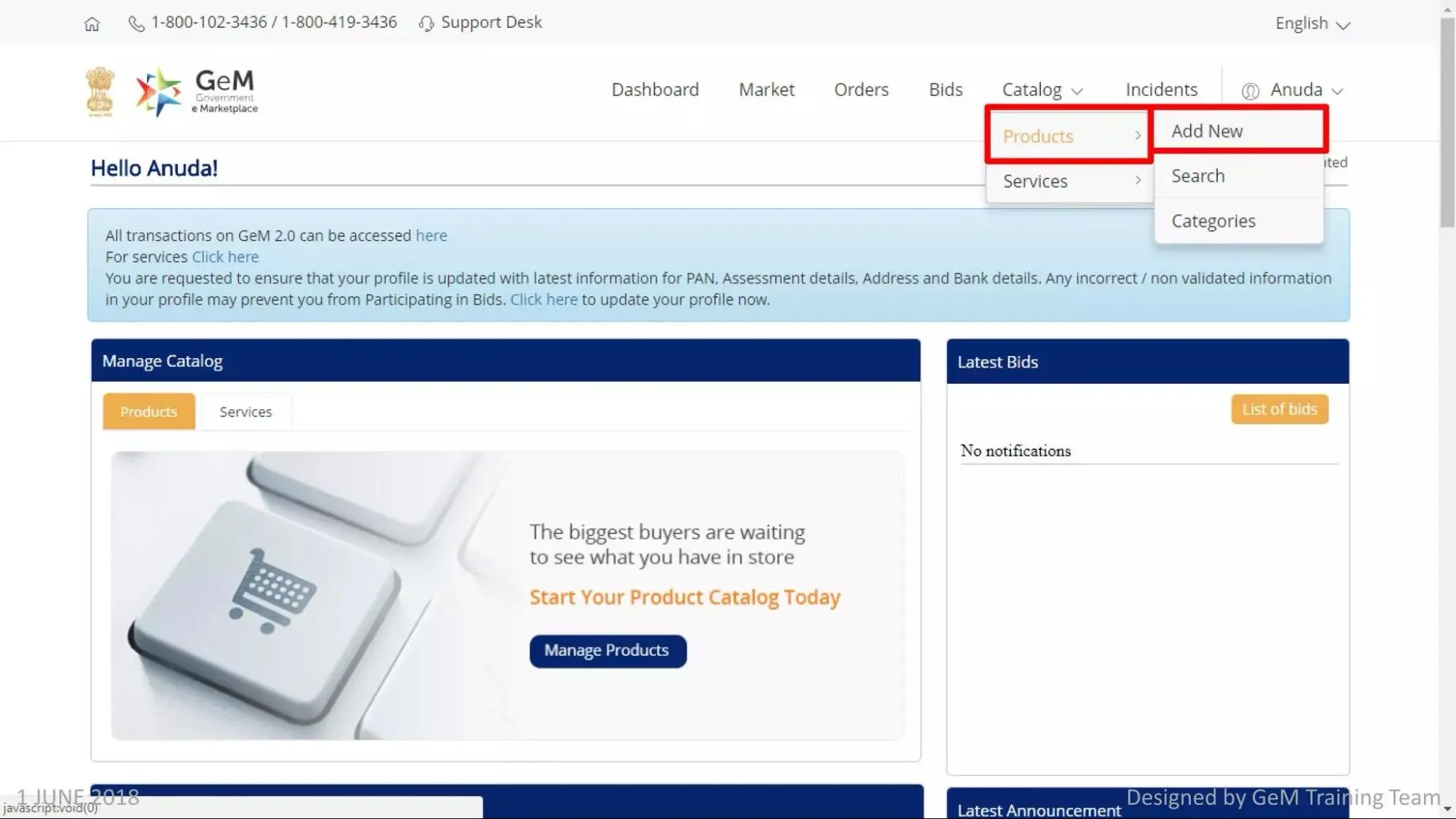
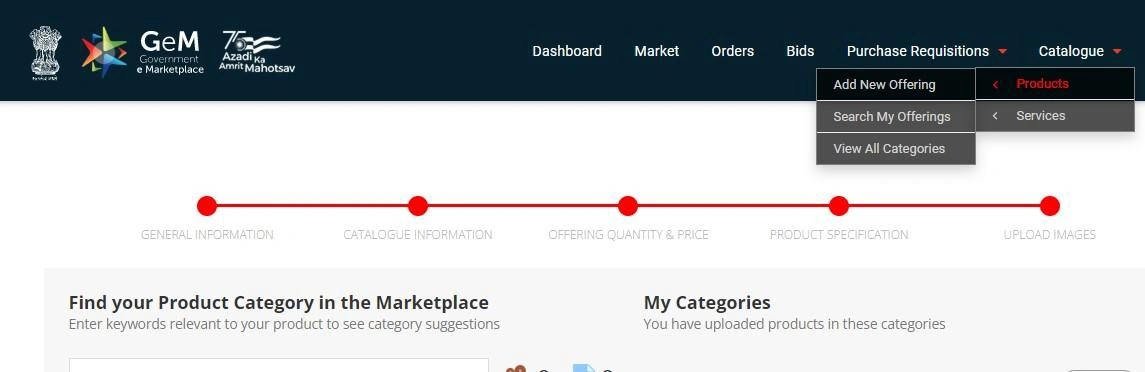
- Upload your products or services.
- Add specifications, pricing, and product images.
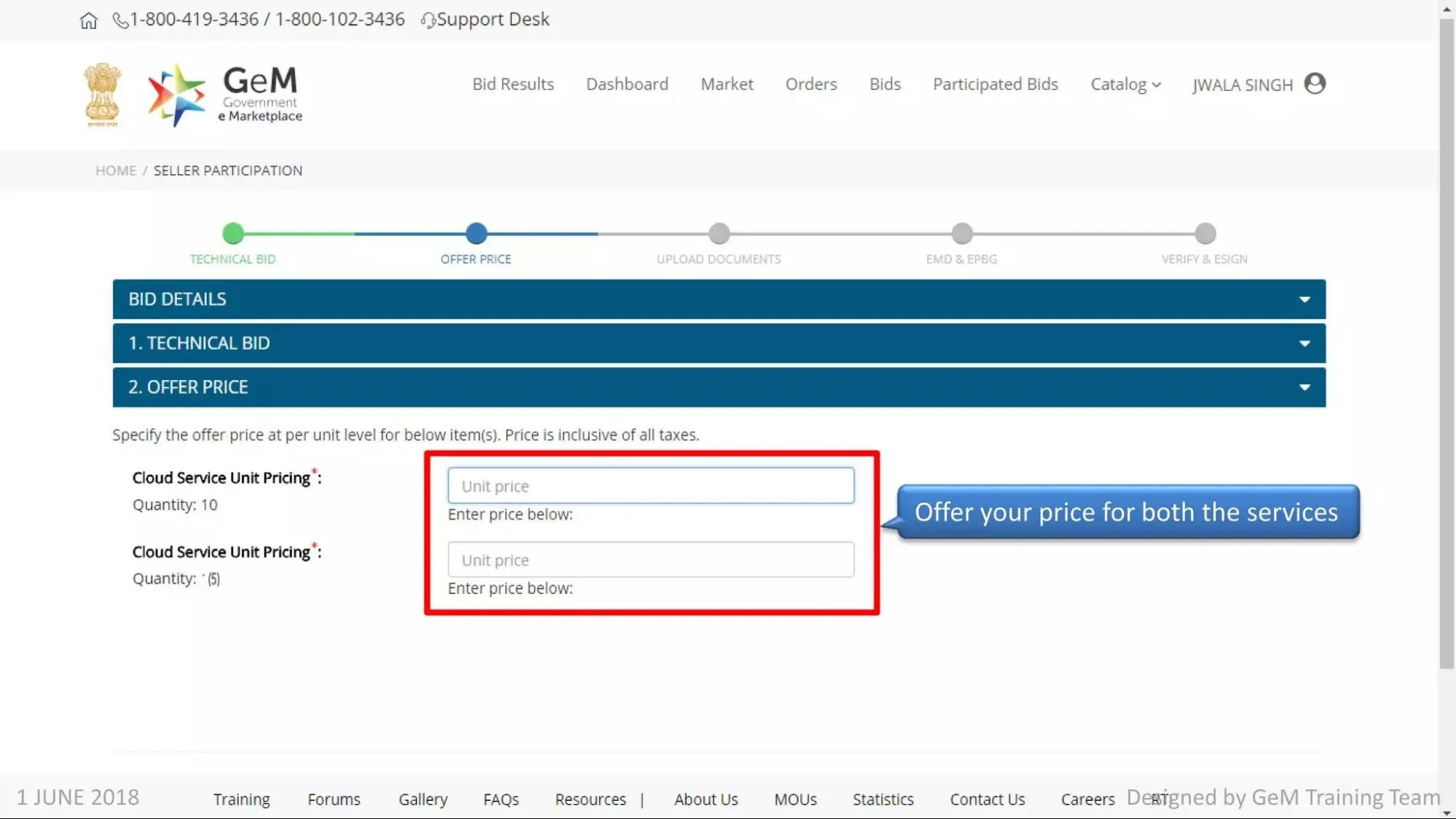
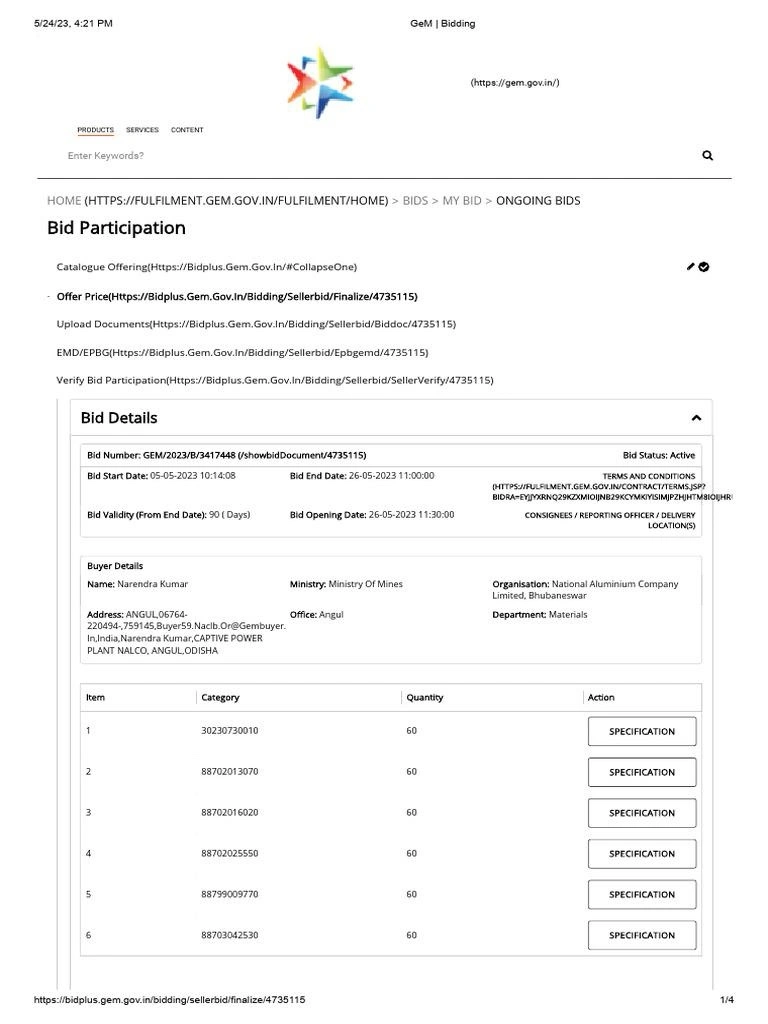
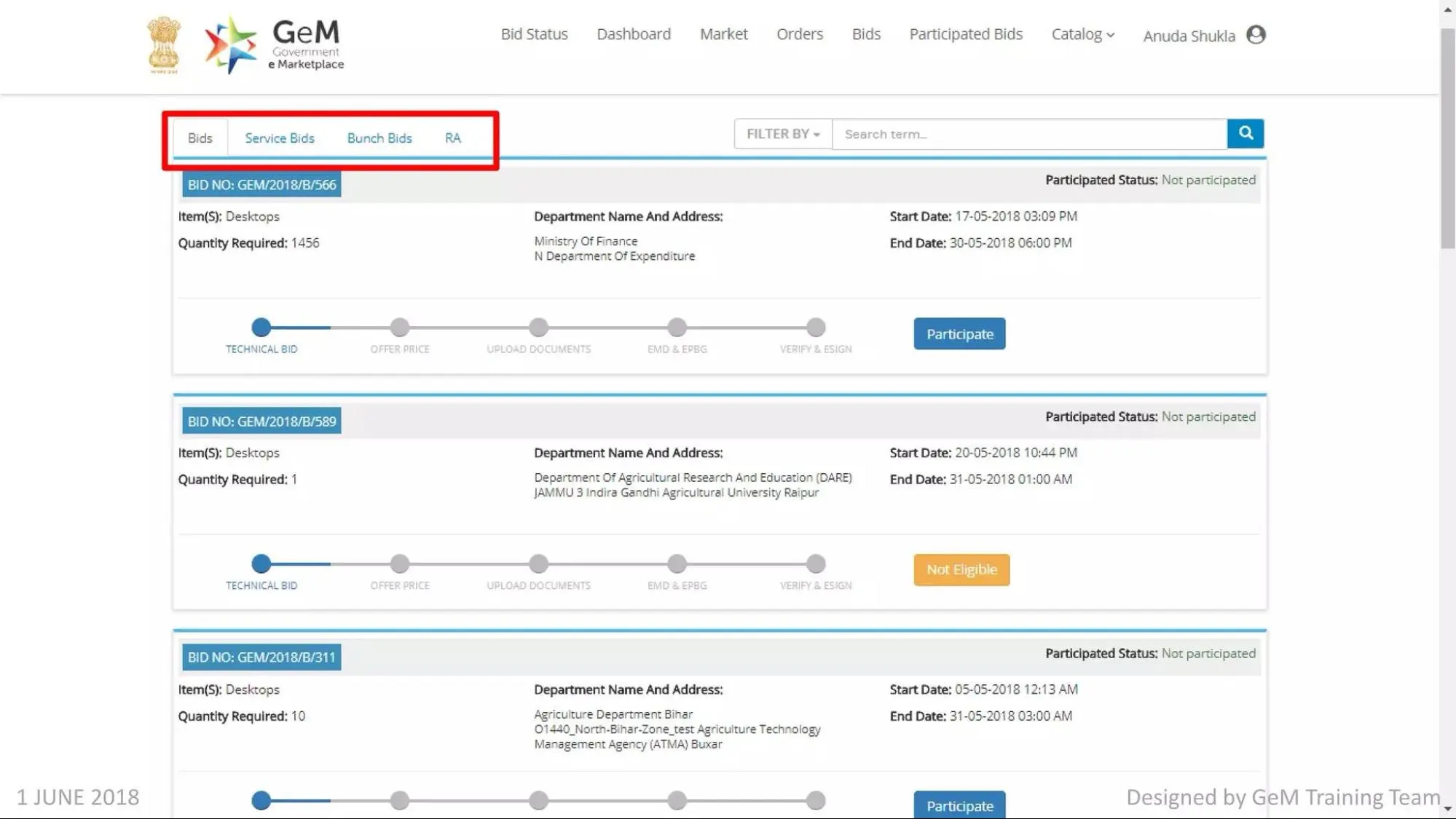
After your seller profile is approved:
- Search for relevant tenders.
- Read the eligibility criteria.
- Upload the required documents.
- Submit your bid before the deadline.
Tips for Successful GeM Tender Participation
Before applying for any tender, remember these important tips:
- → Read the tender requirements carefully.
- → Submit only accurate information.
- → Upload clear and valid documents.
- → Apply before the deadline.
- → Check all specifications before submitting your bids.
- → Keep your seller profile updated.
Conclusion
GeM Portal Tender Registration is an excellent chance for firms that are looking to serve government buyers. It is a transparent, secure, and fully digitized platform where sellers can find tender opportunities, compete by submitting their bids, and get government orders without running after paperwork. Are you a manufacturer, trader, start-up, MSME, or service provider? GeM helps you connect with India's ministries, departments, PSUs, and other government bodies across India.
To enjoy the best results, complete your seller registration, provide business information, submit documents, and maintain your profile accurately. Read the tender conditions and eligibility criteria, technical specifications, and deadlines carefully before submitting a bid. Preparation of a bid and submission of a competitive bid may help in increasing your chances of winning government contracts.
Frequently Asked Questions
GeM Tender Registration allows sellers to participate in government tenders through the GeM Portal.
Manufacturers, traders, MSMEs, start-ups, service providers, and other eligible entities are able to apply.
Not always. GST requirements depend on your business type and the products or services you offer.
Yes. Once your seller account is approved, you can search for and bid on eligible government tenders.
Seller registration is generally free, but some categories may require caution money or vendor assessment fees.
Standard documents are PAN, Aadhaar, account details, GST (if applicable), Udyam Registration (if available), and details of the business.
The time depends on document verification and profile completion. If all details are correct, the process is usually completed within a few working days.