
Forgot GeM User ID and Password? Complete Recovery Guide (2026)
Forgetting your GeM User ID or Password can happen to anyone. It may stop you from logging in, submitting bids, checking orders, or managing your account. The good news is that in most cases, your account can be recovered by following the correct steps.
In this blog, we will explain how to recover your GeM User ID, reset your password, and resolve common login issues in simple terms. Whether you are a seller, buyer, service provider, startup, MSME, or business owner, you will find the complete process here.
We also cover the most common reasons login issues occur, how to keep your account secure, and when to contact the GeM Helpdesk if the normal recovery process does not work.
What is a GeM User ID?
A GeM (Government e-Marketplace) User ID is the unique login ID used to access your registered account on the GeM Portal. After registration, every seller and buyer receives a User ID that helps them securely sign in and manage their account.
With your GeM account, you can:
- Manage your business profile
- Participate in government tenders
- Upload products or services
- Track orders and payments
- Update business information
- Download important documents
Without your User ID or Password, you cannot access these services.
How to Recover Your GeM User ID
If you cannot remember your User ID:
Go to the official GeM Login page.
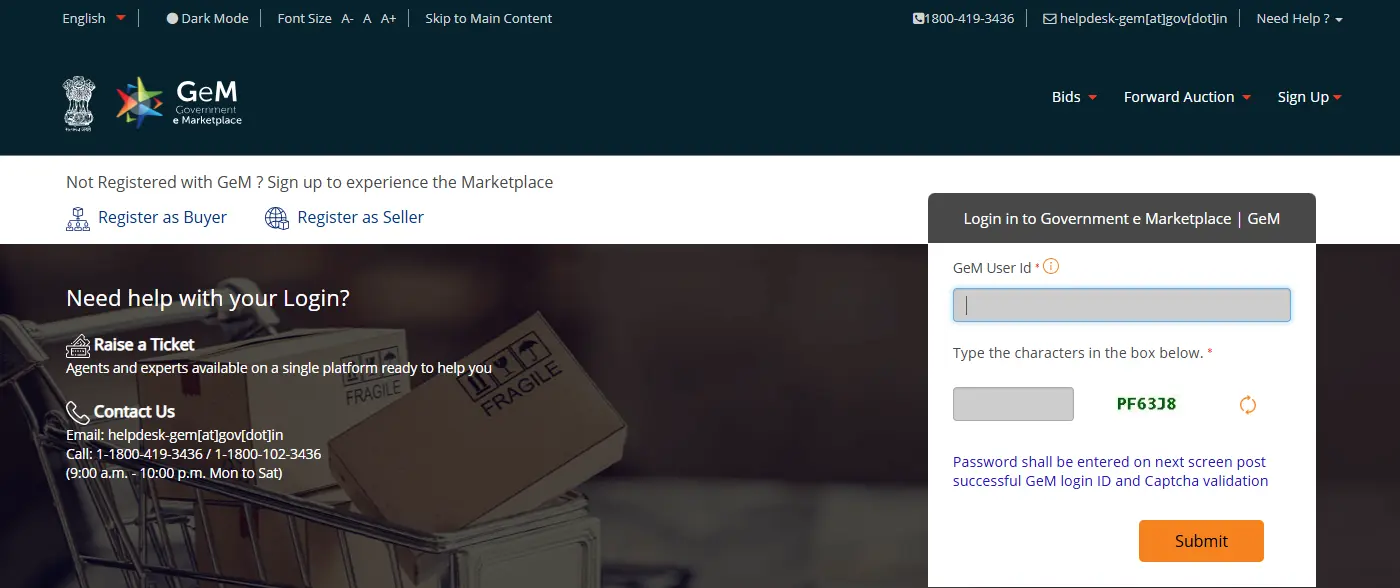
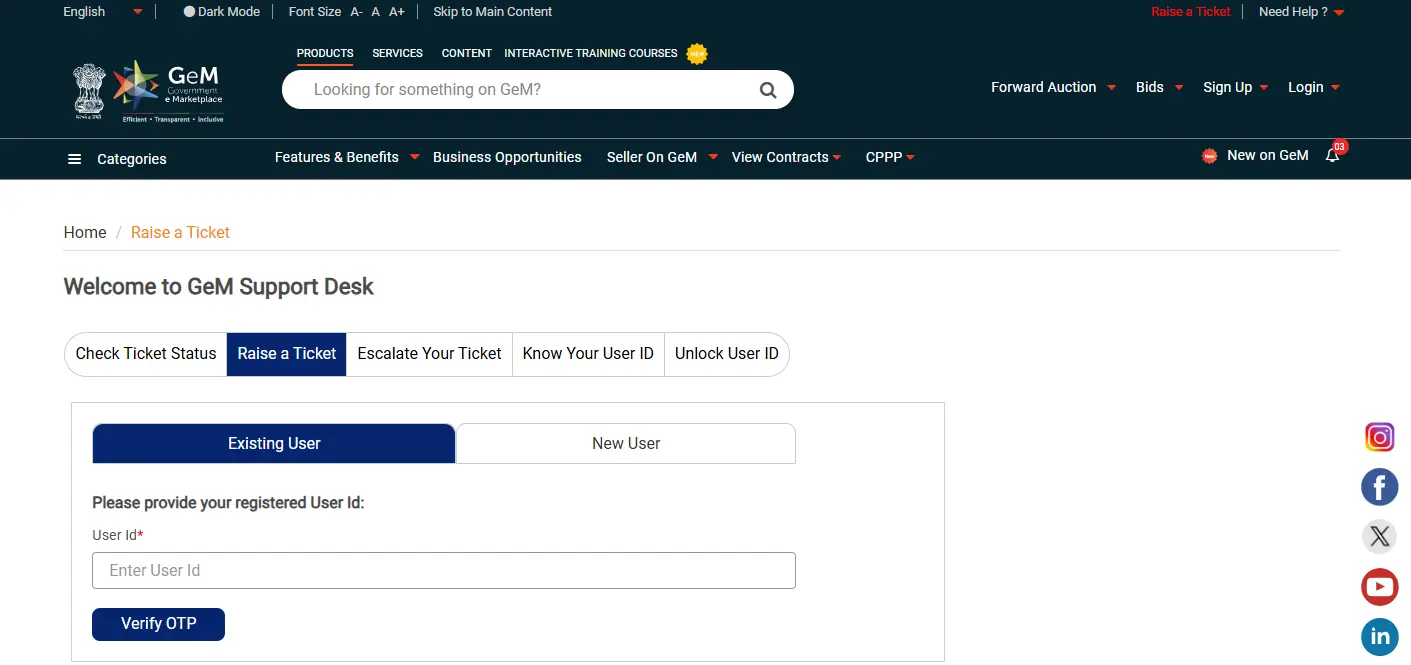
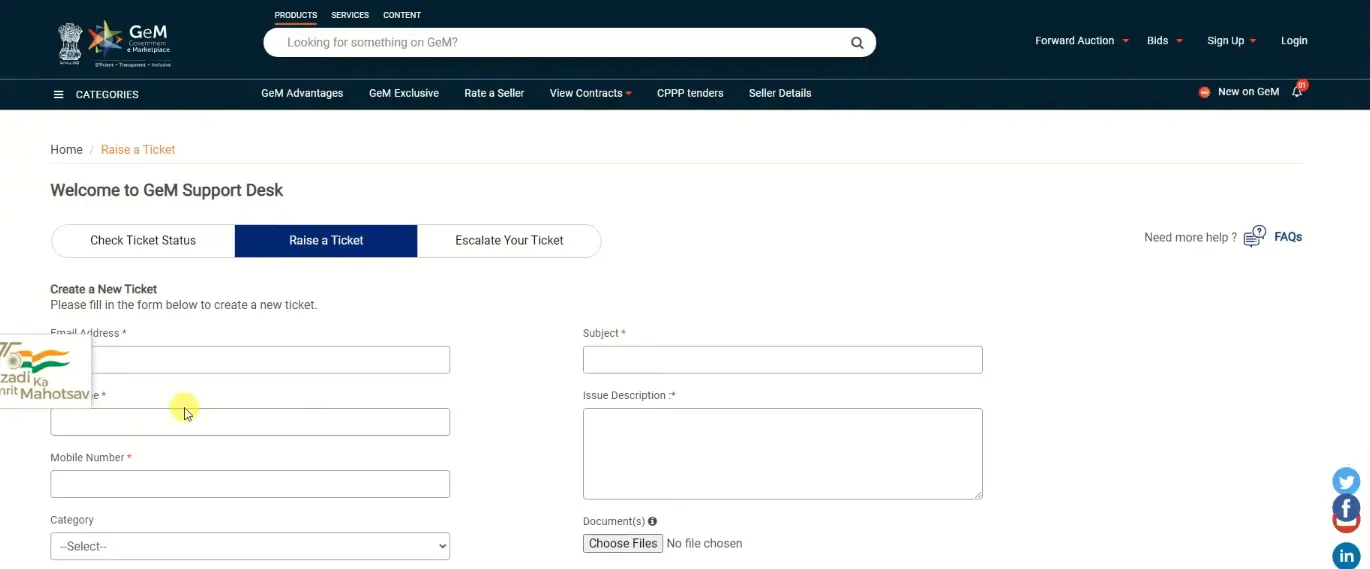
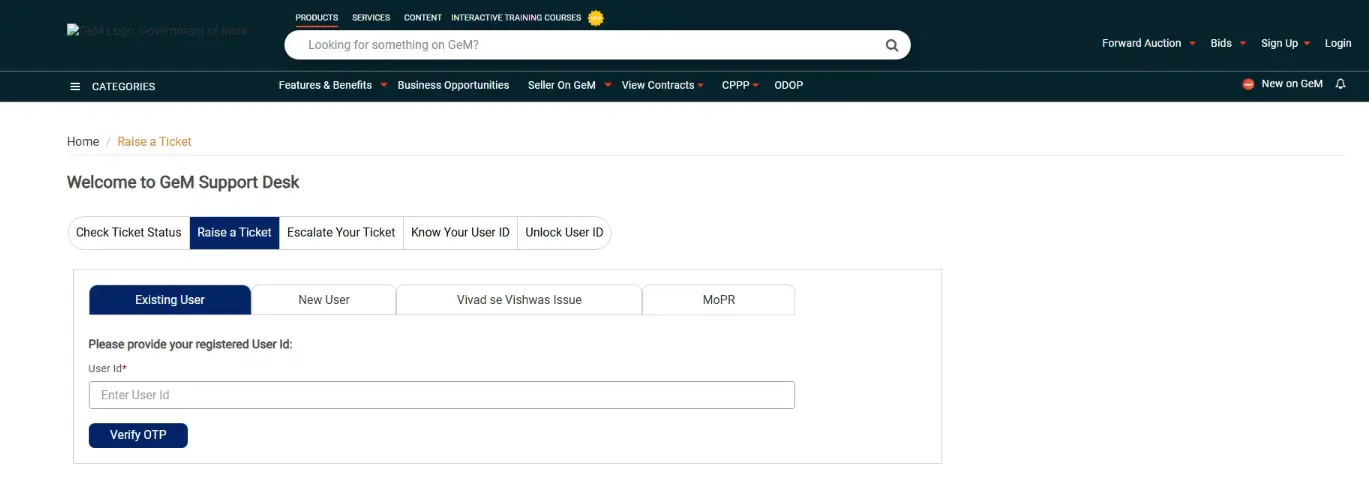
If the registered contact details are no longer active, you may need to contact the GeM Helpdesk.
How to Reset Your GeM Password
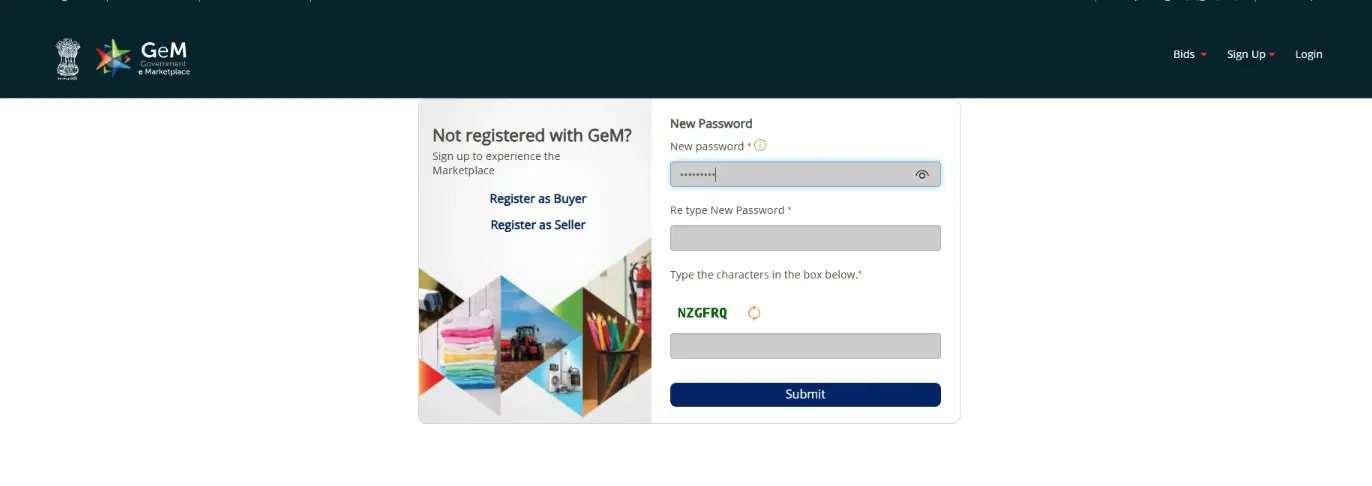
If you cannot remember your User ID but forgot your password:
Open the GeM Login page
Click Forgot Password
Enter your User ID
Verify your identity using OTP
Create a strong new password
Log in using your new password
Choose a password that contains uppercase letters, lowercase letters, numbers, and special characters.
Why Do People Forget Their GeM Login Details
There are many common reasons:
- → You have not logged in for a long time.
- → Your mobile number or email has changed.
- → You use multiple business accounts.
- → Your browser did not save the password.
- → Someone else created the account for your company.
- → You recently changed your password and forgot the new one.
These situations are common and usually have a simple solution.
Common Login Problems and Solutions
Tips to Keep Your GeM Account Secure
- Never share OTP
- Don't save passwords on public computers.
- Change password every few months
- Enable two-factor verification if available
- Always log out after using shared devices.
Conclusion
Forgetting your GeM User ID or password does not mean you have lost access to your account permanently. In most cases, you can recover your login details by using the official recovery options and completing OTP verifications.
Always keep your registered email address and mobile number updated, use a strong password, and avoid sharing your login credentials with others. If the recovery process does not work, contact the official GeM Helpdesk for further assistance.
By following the steps explained in the guide, you can regain access to your GeM account quickly and continue managing your government procurement activities without unnecessary delays.
If you still cannot recover your account after following all the steps, avoid creating a duplicate GeM account. Instead, contact the official GeM Helpdesk or your authorized administrator to verify your identity and restore access safely.
Frequently Asked Questions
Usually, you need access to your registered contact details. If not, contact the GeM Helpdesk for identity verification.
Most users can reset their password within a few minutes after OTP verification.
No. Forgetting your password does not delete your account.
If you do not have access to your registered email address, you may still be able to recover your account using your registered mobile number. If neither is available, contact the official GeM Helpdesk.