
GeM Registration Process Complete Guide
The GeM( Government e-marketplace ) portal is an online platform created by the Government of India. It helps businesses, startups, MSMEs, and service providers sell their products and services directly to government departments. This platform makes the buying and selling process transparent, fast, and easy.
If you want to grow your business and work with government buyers, registering on the GeM Portal is a great opportunity. In this guide, you will understand the complete GeM Registration process in simple words, along with the required documents, fees, and steps.
GeM Registration Process
1
Open gem.gov.in and click on "Login"

2
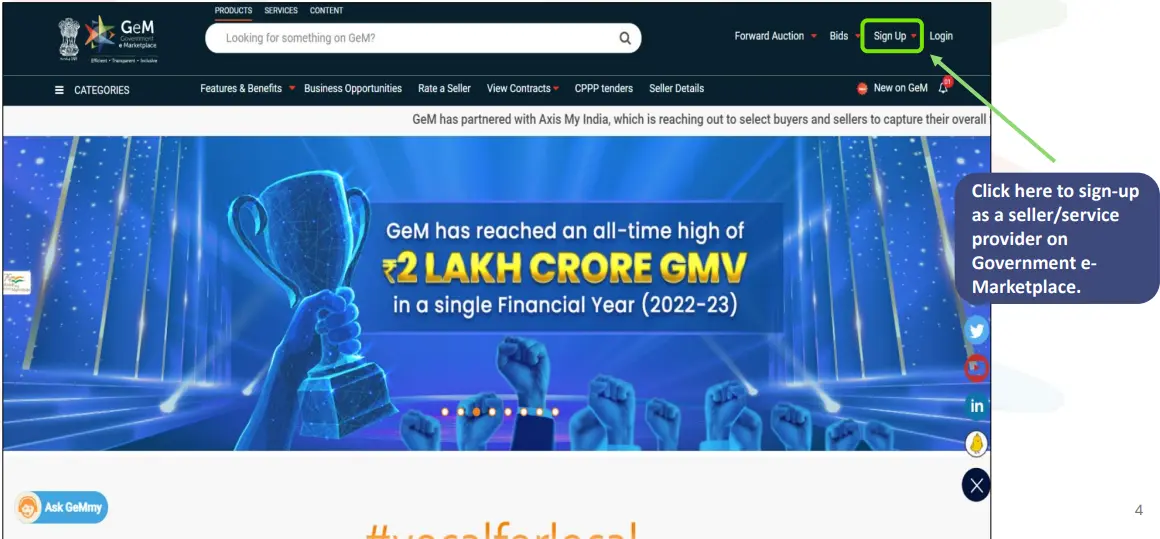
Click on Register for "Sign Up"
3
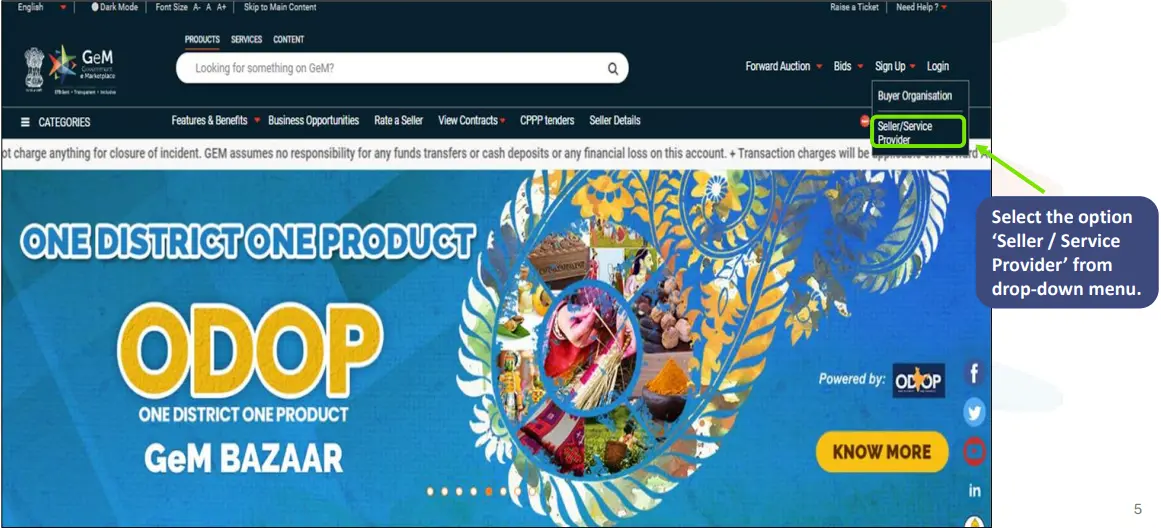
Click on Signup as Seller/Service Provider
4
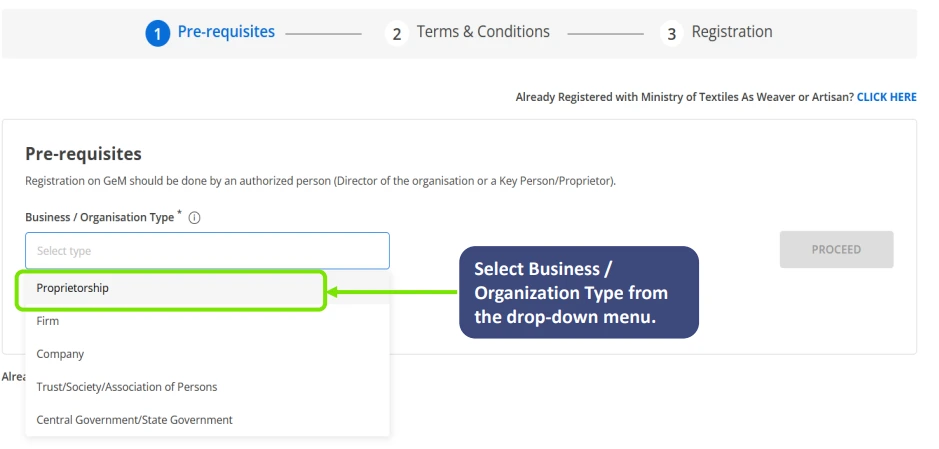
Select the Type of your Business
5
View the Pre-Requisites document
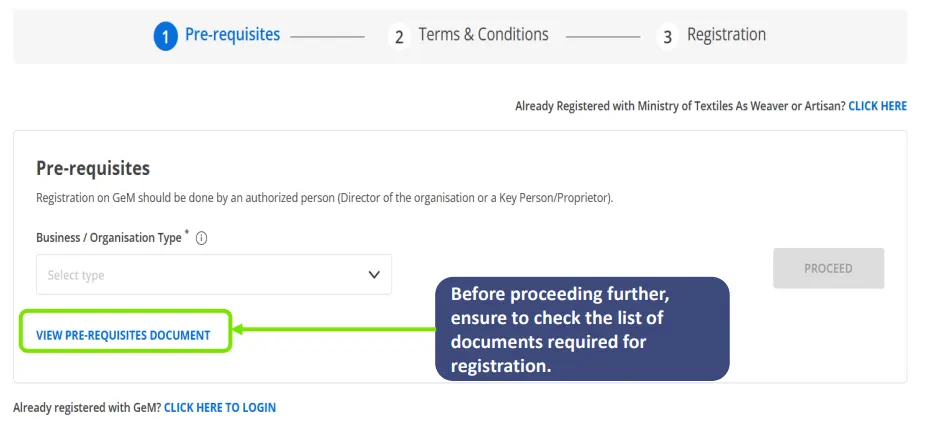
6
After filling in Business/Organization types, select all the mandatory checkboxes
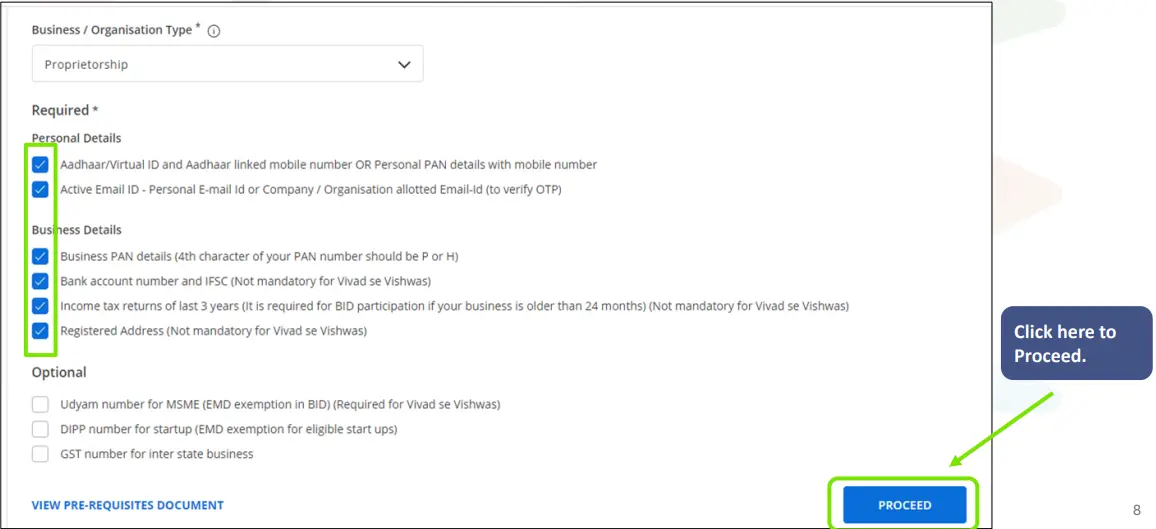
7
Before the proceeding, please read the Terms & Conditions carefully
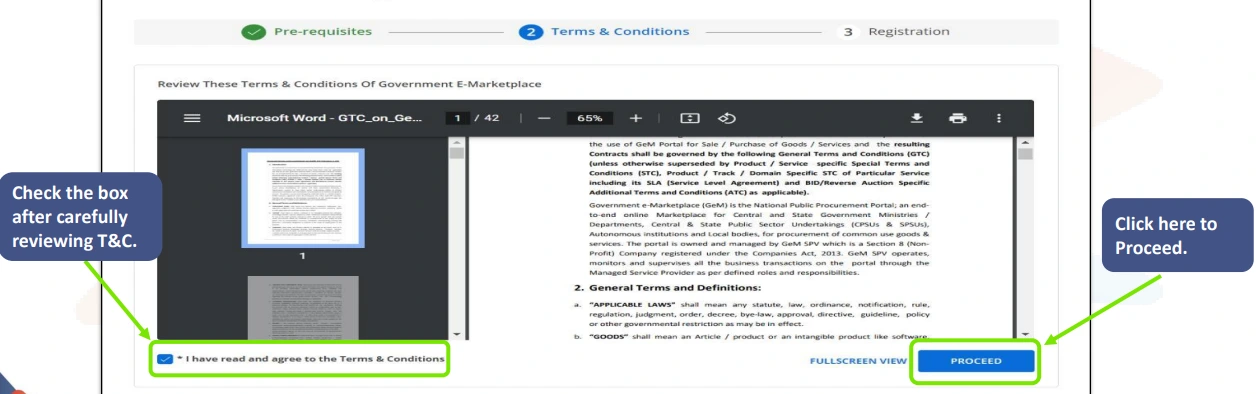
8
Update Organization Details
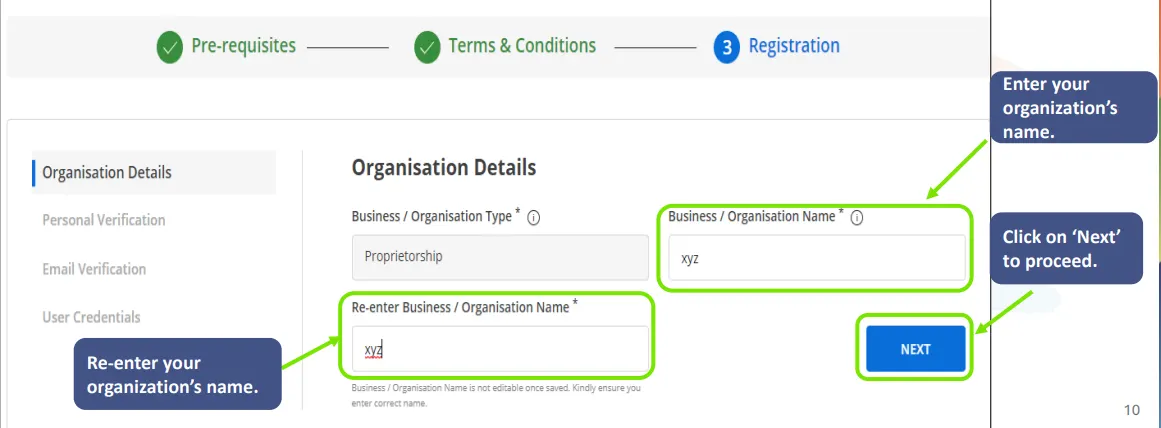
9
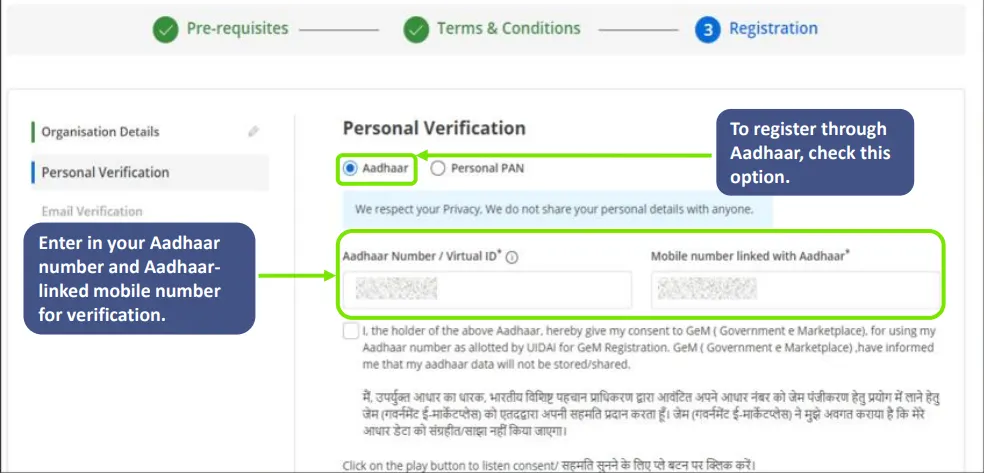
Registration process through Aadhaar
10
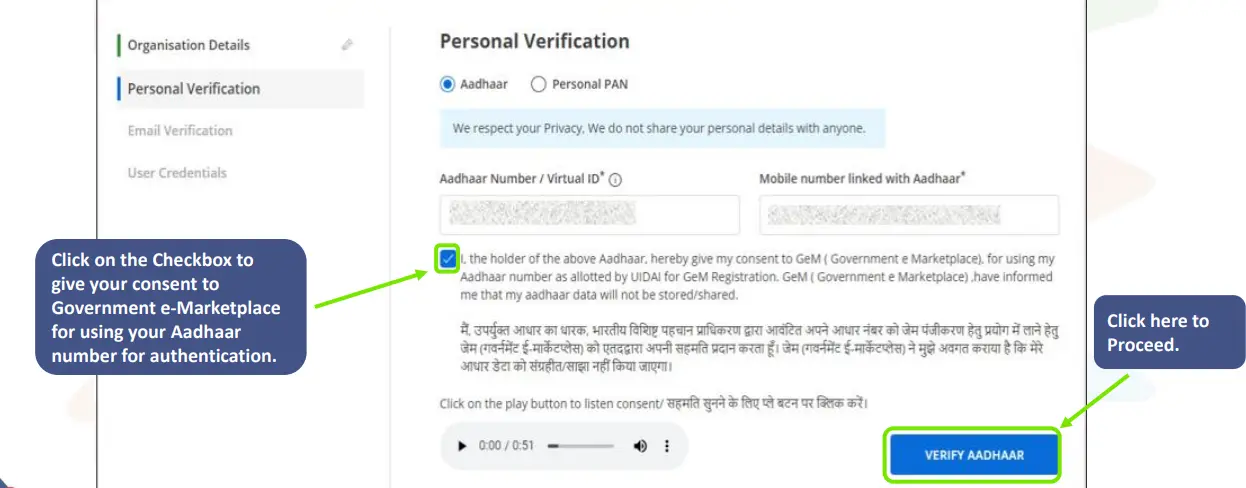
Continue Registration through Aadhaar Card
11
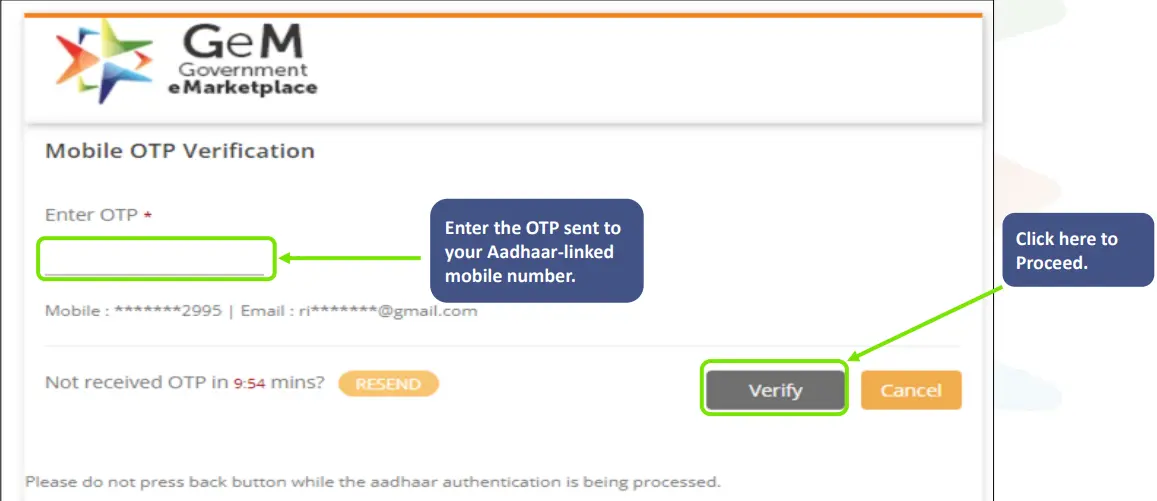
Enter OTP
12
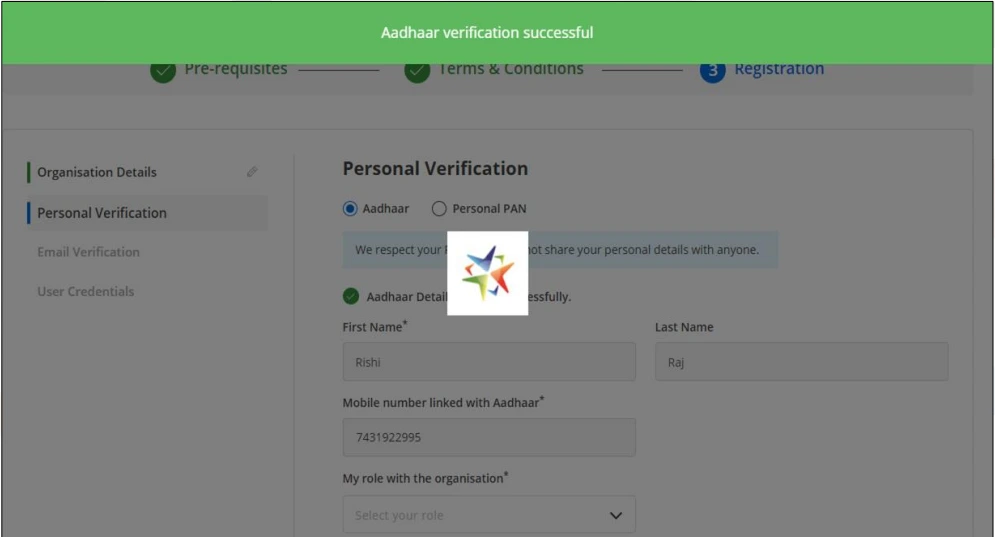
The system will generate a prompt if your Aadhaar is successfully verified
13
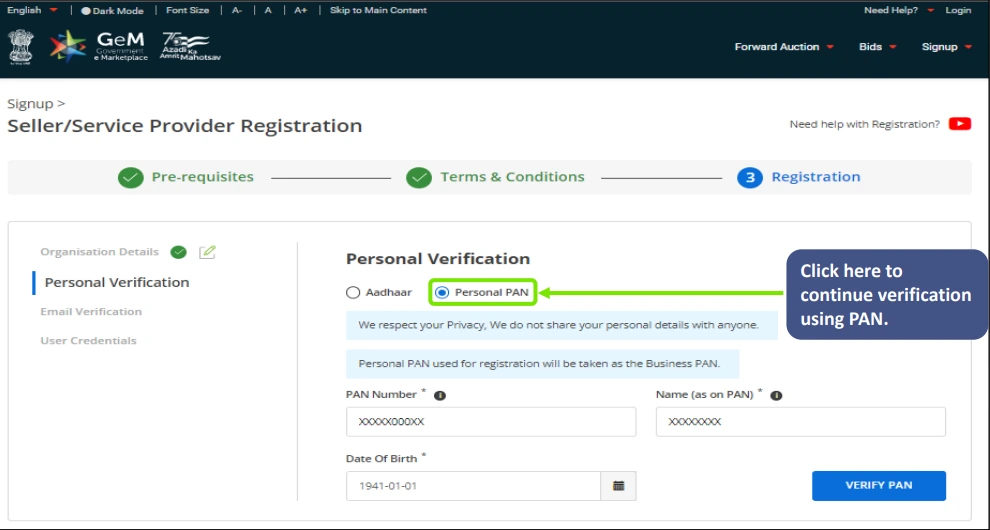
Registration Process through PAN
14
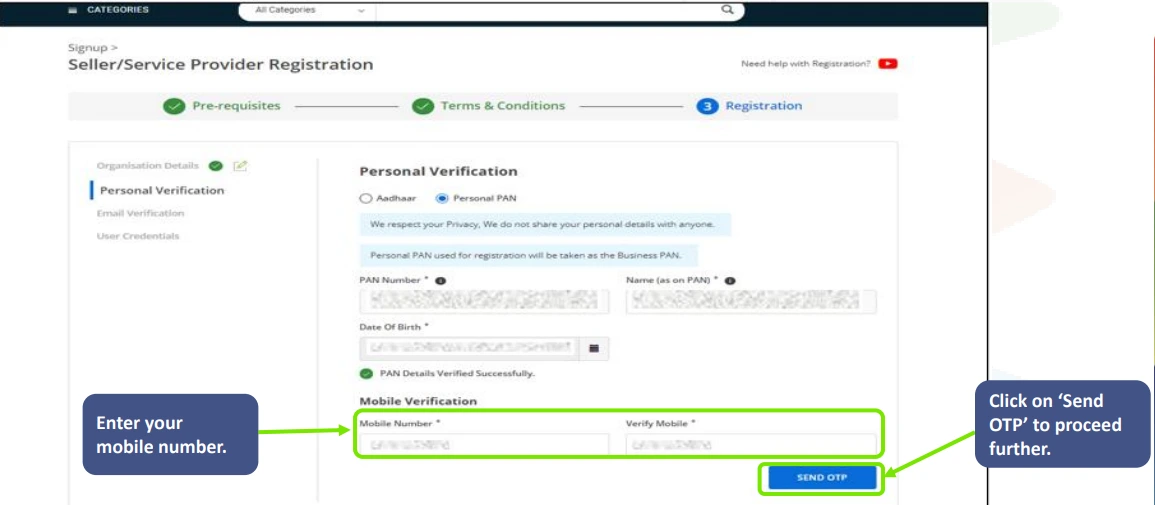
Once your PAN details are verified, please enter your mobile number for verification
15
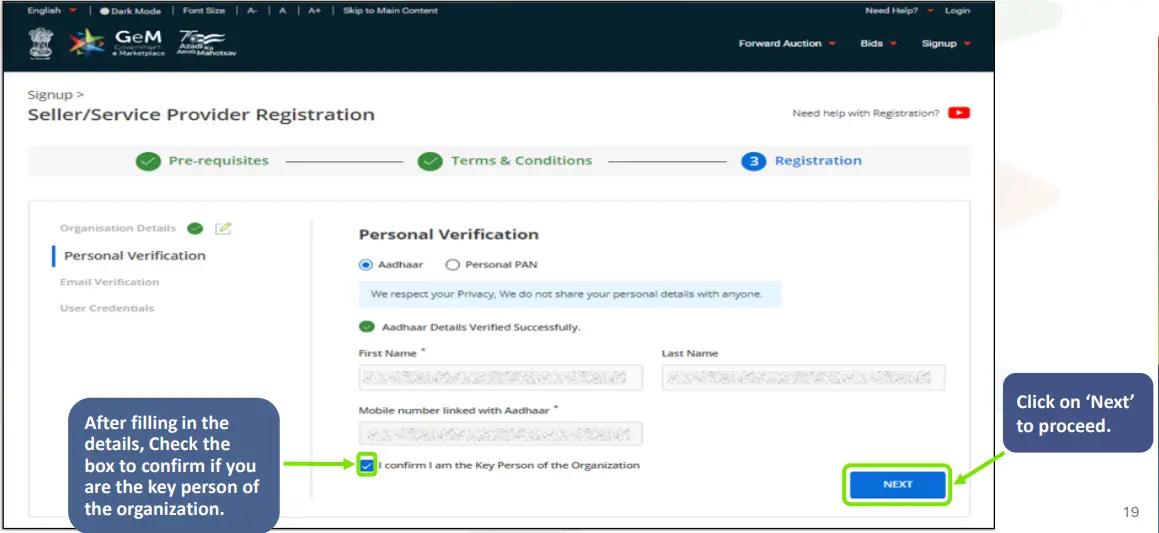
After Aadhaar / PAN verification, you will be asked to fill in your personal verification details
16
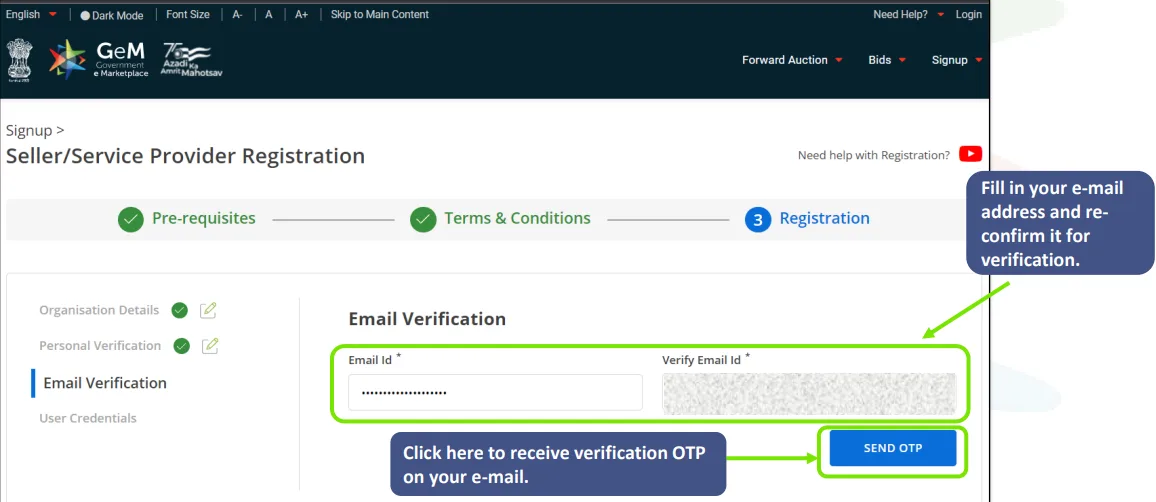
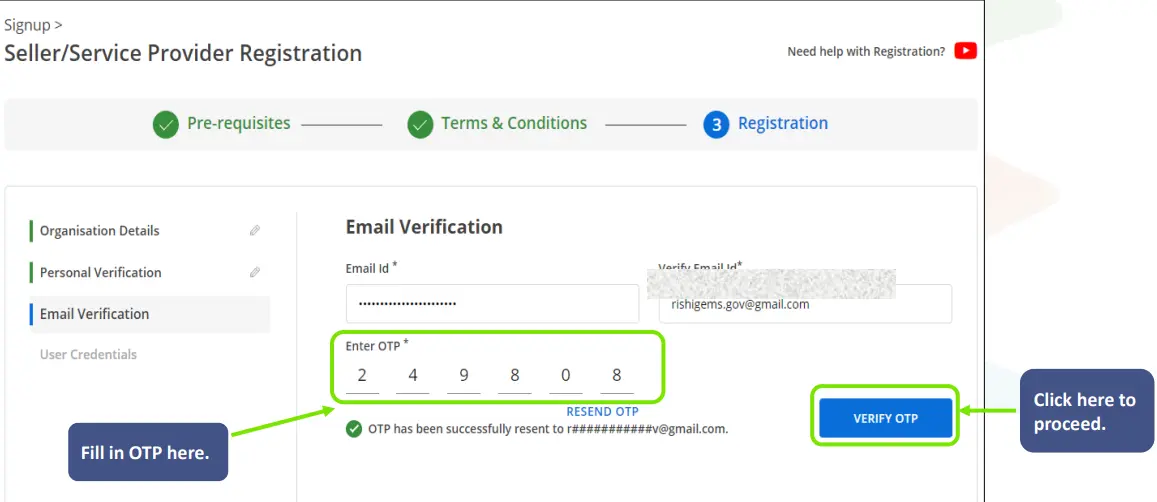
Verify your e-mail
17
Enter OTP
18
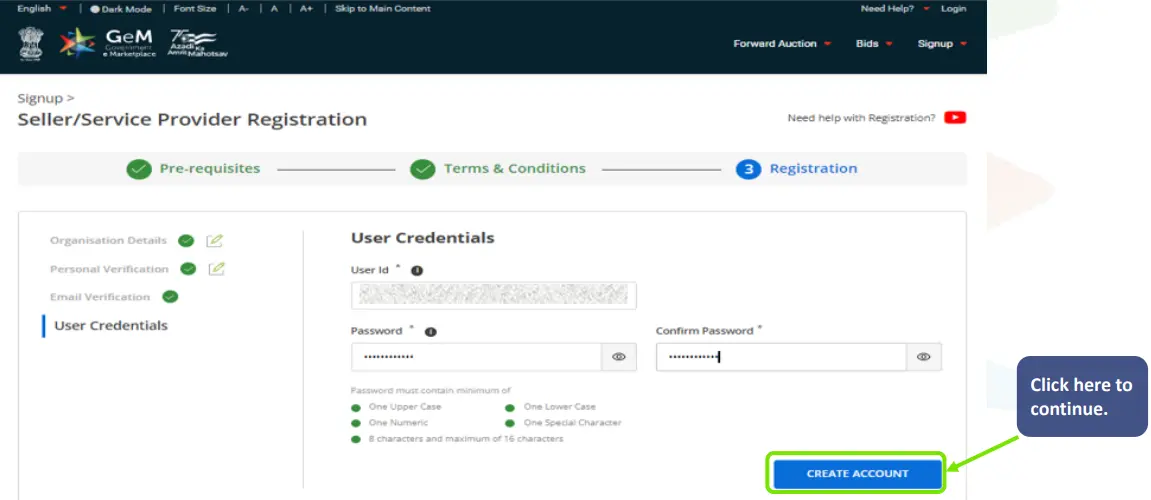
Once your e-mail is verified, you will have to set a user ID and Password
19
After clicking on Create Account, Seller Registration will be completed successfully, and the user will be redirected to the seller homepage to complete the profile.